Step-by-Step Home Battery Backup System Installation Guide
February 11, 2026
Installing a home battery backup system is one of the most effective ways to protect your household from power outages while gaining more control over energy use. Modern battery systems are safer, quieter, and more flexible than traditional generators, making them increasingly popular with homeowners. While installation may sound complex, the process follows clear, manageable steps when planned properly. This guide walks you through each stage, helping you understand what to expect and how to prepare for a smooth installation.

How to Install a Home Battery Backup System Step by Step?
A successful installation begins with planning and ends with testing and optimization. Each step ensures your system operates safely and efficiently.
Assess Your Home’s Energy Needs
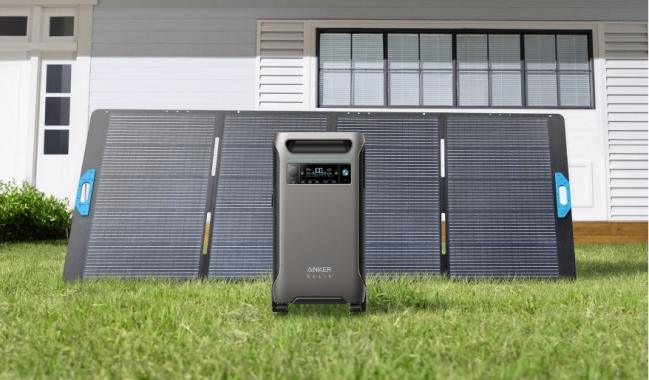
Start by identifying what you want to power during an outage. Essential loads may include lighting, refrigeration, internet, and medical devices, while whole home battery backup setups may also cover HVAC systems and large appliances. Review your utility bills to estimate daily energy usage in kilowatt-hours (kWh). This assessment helps determine the battery capacity and output required. Systems like the Anker SOLIX F3800 are designed for scalable whole-home backup, making it easier to match capacity to your needs.
Choose the Right Battery Backup System
Once you know your power requirements, select a battery system that meets both capacity and output needs. Look for features such as expandable battery storage, 120V/240V split-phase output for major appliances, and solar compatibility. Lithium iron phosphate (LFP) batteries are recommended for their long lifespan and safety. Choosing a system with smart energy monitoring also improves long-term usability.
Select an Installation Location
Home battery backups are typically installed in garages, utility rooms, or basements. The location should be dry, well-ventilated, and protected from extreme temperatures. Ensure there is adequate wall or floor space and clearance for safe operation and maintenance. Follow manufacturer guidelines for placement to preserve battery performance and warranty coverage.
Install a Transfer Switch or Smart Home Power Panel
To safely power your home during outages, a transfer switch or smart home power panel is required. This device isolates your home from the grid and directs battery power to selected circuits. Professional installation is usually recommended for this step to ensure compliance with local electrical codes. Smart panels also enable automatic switchover when the grid goes down, restoring power in seconds without manual intervention.

Connect the Battery System and Power Sources
Once the panel is installed, the battery system is connected to your home’s electrical system. If your setup includes solar panels, they are connected at this stage as well. High solar input allows the battery to recharge during daylight hours, extending runtime during outages. Some systems also support fast AC charging for quick replenishment when grid power is available.
Configure System Settings and Smart Controls
After physical installation, configure system settings using the manufacturer’s app or control interface. Set load priorities, charging preferences, and backup modes. Many modern systems, including Anker SOLIX solutions, offer app-based monitoring via Wi-Fi or Bluetooth, allowing you to track energy usage, battery levels, and solar input in real time.
Test the System Thoroughly
Before relying on your battery backup, perform a full system test. Simulate a power outage by disconnecting grid power and confirm that the battery supplies electricity to the selected circuits. Check for stable output, proper load handling, and correct automatic switchover behavior. Testing ensures the system is ready when a real outage occurs.
Plan Ongoing Maintenance and Inspections
Home battery systems require minimal maintenance, but regular checks are still important. Inspect cables, connections, and ventilation periodically. Keep the system software up to date and monitor battery performance through the app. Proper care helps maximize lifespan and reliability.
Conclusion
Installing a home battery backup system is a straightforward process when approached step by step. From assessing energy needs and choosing the right system to integrating smart controls and testing performance, each stage plays a vital role in long-term reliability. With advanced, scalable solutions like Anker SOLIX home battery systems, you can achieve quiet, clean, and dependable backup power. A well-installed battery backup not only protects your home during outages but also adds lasting energy resilience and peace of mind.